Iran Cyberattacks on US Infrastructure: What Families Should Know

HRDCOPY Team
HRDCOPY TeamFebruary 28, 20267 min read
Part of the Iran Conflict Preparedness Series · See all articles →

You wake up at 6:15 AM. The alarm clock didn't go off because the power is out. You reach for your phone -- no Wi-Fi. You open your bank app to check if a payment cleared. It spins and spins and gives you an error. You walk to the kitchen and turn on the faucet. The water pressure is weak and dropping.

Your partner calls from the hallway: "Is the internet down?"

Your kid walks out of their room: "My phone isn't working."

Nobody's phone is working. Not really. The cell network is overloaded. You have one bar of LTE, and nothing is loading. The power is out across the neighborhood. You can hear your neighbor's generator humming to life.

This isn't a weather event. There's no storm. It's 42 degrees and clear outside.

Something else happened overnight.


This Has Happened Before

Iran operates one of the most capable state-sponsored cyber programs in the world. This isn't conjecture or fearmongering. It's documented by the US Cybersecurity and Infrastructure Security Agency (CISA), the FBI, and the intelligence community.

In 2021, Iranian-linked hackers targeted a water treatment facility in a US city, attempting to alter chemical levels in the water supply. In 2022 and 2023, multiple attacks targeted US fuel distribution systems and financial networks. Iranian cyber operations have also been linked to attacks on electrical grid components, hospital systems, and transportation networks.

During periods of active military conflict, these operations escalate. That's the pattern. It's not a prediction. It's what the intelligence community publicly states happens when tensions with Iran cross into active hostilities.

The current conflict has elevated the threat level to the highest category.


What CISA Says You Should Know

CISA -- the Cybersecurity and Infrastructure Security Agency -- is the federal agency responsible for protecting US infrastructure from cyber threats. During periods of elevated risk, they activate what's called "Shields Up" guidance at cisa.gov/shields-up.

This guidance is primarily aimed at organizations and businesses, but it contains public advisories that apply to households too. The core message: assume the possibility of disruptions to digital systems and prepare accordingly.

CISA recommends that families and individuals take basic steps to reduce their dependence on systems that could be temporarily compromised. That's not alarmist language from a blog. That's the official federal cybersecurity agency telling you to have a backup plan.

It's worth bookmarking cisa.gov/shields-up and checking it periodically during this conflict.


What a Cyberattack Looks Like at Home

Forget what you've seen in movies. A cyberattack on infrastructure doesn't look like a dramatic hacking scene with green code scrolling across a screen. It looks like your Tuesday morning going sideways for reasons nobody can immediately explain.

Power goes out. Not from a storm. The grid just stops. Maybe for a few hours. Maybe for a day or two. Your utility company's website is also down, so you can't check the outage map or get an estimate.

ATMs and card readers stop working. The banking network is disrupted. You go to pay for coffee and your card declines. Not because you're broke -- because the system that processes the transaction is offline. This also means gas pumps that require card payment may not work.

Water pressure drops or stops. Water treatment plants rely on digital control systems. A successful attack on those systems can reduce pressure, disrupt treatment processes, or force a precautionary shutdown. If your municipality issues a boil-water advisory, that's often downstream of a system compromise.

Communication gets unreliable. Cell networks become congested as everyone tries to call and text at once. Internet service may be spotty or completely down. Traffic lights stop working because they're networked too.

None of these are permanent. Most infrastructure cyberattacks cause disruptions lasting hours to a few days. But a few days without power, water, banking, and reliable communication is a lot longer than most families can handle without preparation.


What to Do Now

Five steps. All of them are things you can do this week. None of them require technical knowledge or expensive equipment.

1. Have Cash on Hand

ATMs and card readers are among the first things to fail during a cyberattack on financial systems. Pull $200-500 in small bills -- tens and twenties -- and keep it somewhere secure in your home.

This isn't savings. It's operational cash for a scenario where digital payments don't work for 2-3 days. Gas, groceries, medication. The basics.

2. Store Water

One gallon per person per day. Three-day minimum. That's it.

You don't need a filtration system or a rain barrel. You need a few gallon jugs of water from the grocery store, stored somewhere in your house. If the water system is disrupted -- even just with a boil-water advisory -- you'll need drinking water that doesn't come from the tap.

For a family of four, that's 12 gallons. It costs about $12 and fits in a closet.

3. Write Down Your Critical Information

If your phone won't load apps and your internet is down, can you access your bank account number? Your insurance policy number? Your doctor's phone number? Your kids' medication list?

Most people can't. Everything lives on a device that requires connectivity.

Write it down. On paper. In one place. This article walks you through exactly what to capture and where to put it. This is the single most impactful thing you can do to prepare for any kind of digital disruption.

4. Establish a Communication Plan That Doesn't Need the Internet

If cell networks are jammed, how does your family find each other? If you can't text, can you get a message through?

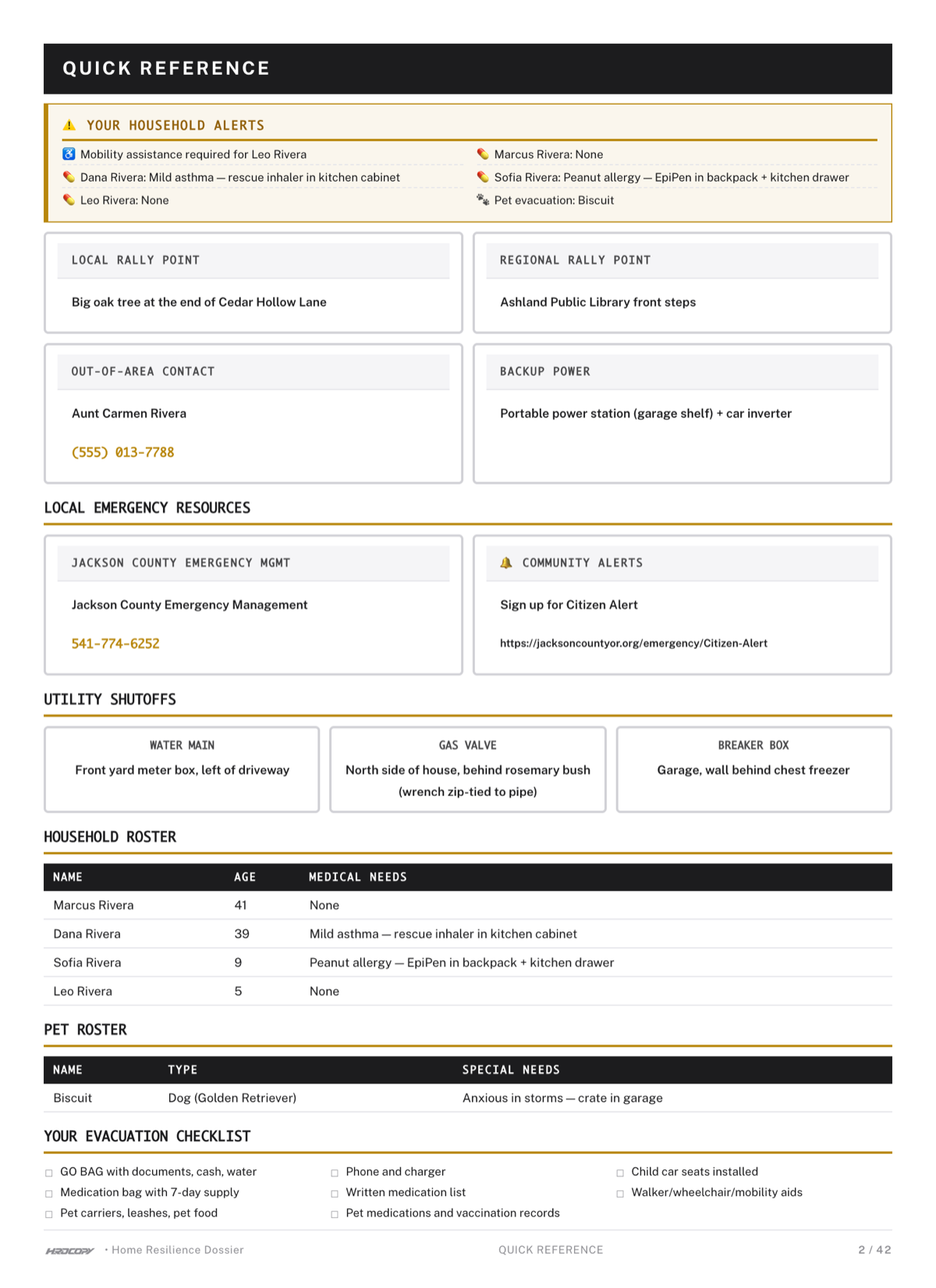
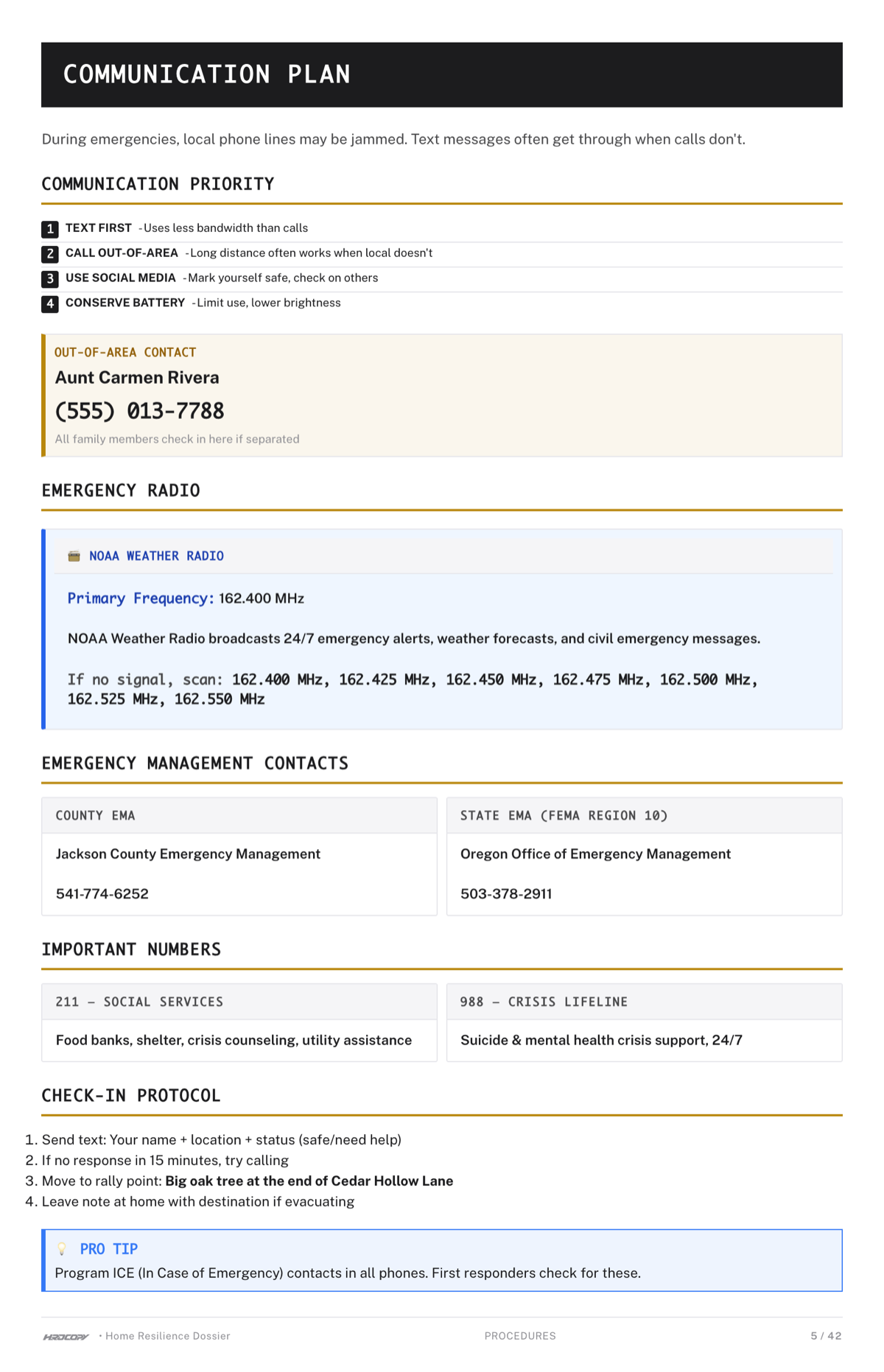
Pick a physical rally point -- somewhere everyone in your family knows to go if you can't reach each other electronically. Designate an out-of-area contact (someone in a different city or state) who can relay messages between family members. Make sure everyone knows these details from memory, not from a contact list on a dead phone.

Here's a full communication plan framework.

5. Know Where Your Critical Documents Are

If you needed to grab your family's IDs, insurance cards, medical records, and financial information in five minutes, could you? Do you know where the physical copies are?

A cyberattack probably won't require you to evacuate. But it might require you to navigate government systems, insurance claims, or medical care without access to digital records. Having physical copies of your critical documents in one known location solves this.


Going Deeper

This article covers the basics -- the first five things to do. If you want a deeper look at extended power outage scenarios specifically, including how to handle food storage, device charging, and heating without electricity, that's Article 8 in this series.

For the full picture of how the Iran conflict affects your household across all dimensions -- gas prices, supply chains, family anxiety, and more -- start with the overview.


This Is What Analog Backup Means

Here's the honest truth: everything on the five-step list above is about making sure your household can function when digital systems fail. Cash works when cards don't. Water works when pumps don't. Paper works when screens don't. A rally point works when cell towers don't.

That's not paranoia. It's just design. You're building a system that doesn't have a single point of failure.

You can absolutely do this yourself. Most of it takes an afternoon and costs less than $50.

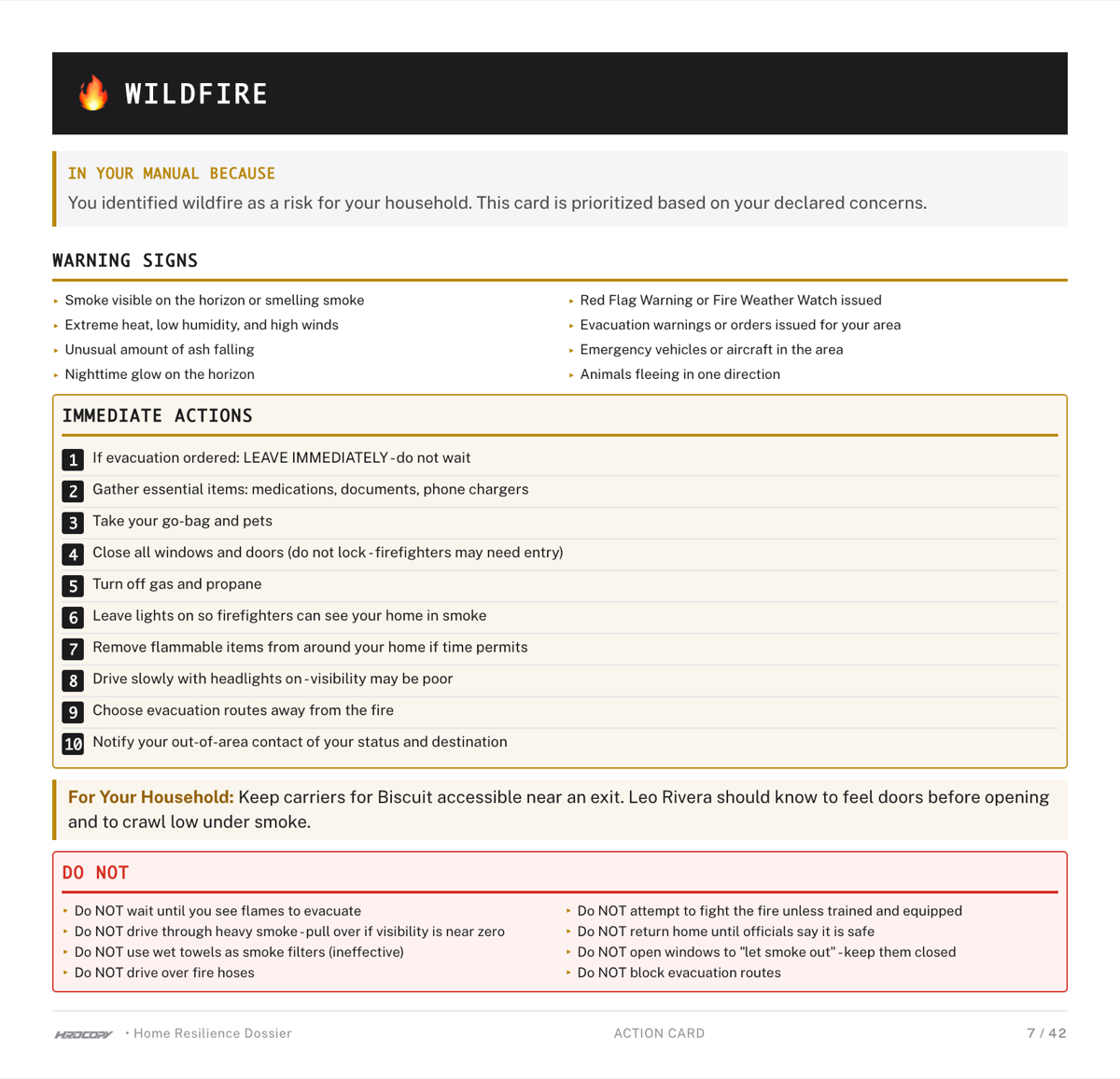
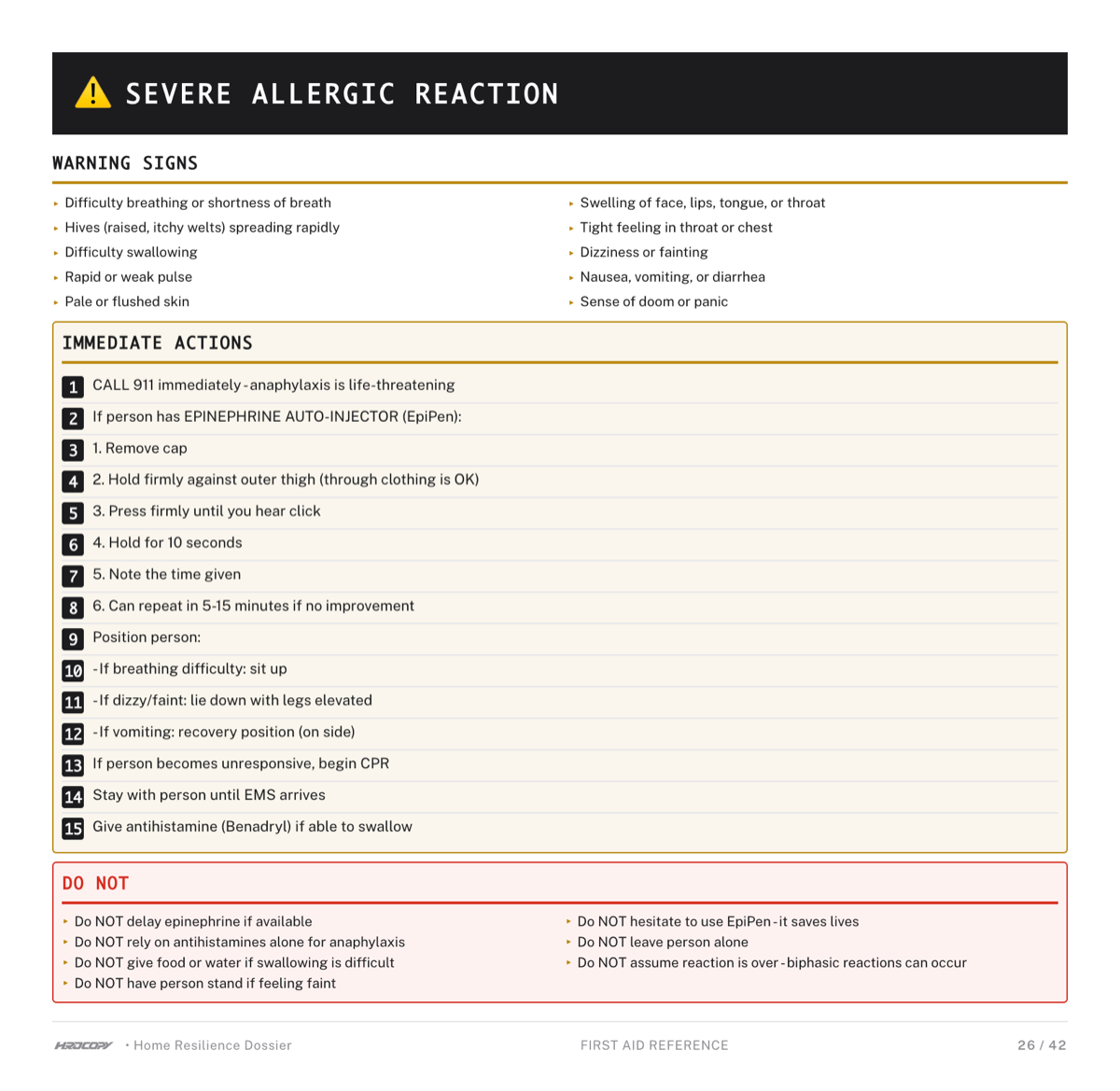
If you want all of your household's critical information -- medical records, financial details, emergency contacts, communication plans, insurance documentation -- organized, formatted, and printed into a single physical manual that works when everything digital doesn't, that's exactly what hrdcopy.com builds. It's literally an analog backup for your household.

Either way: get the cash, store the water, write it down. This week. When the screens go dark, paper doesn't need a password.

Skip the DIY. Build yours in 30 minutes.

HRDCOPY turns a guided interview into a print-ready emergency manual — customized to your household, your location, and your risks.

No formatting. No research. No half-finished binder in a drawer.

Create Your Emergency Manual

We use cookies to understand how you use our site and improve your experience. Privacy Policy